


System and Organization Controls What Is An IT Assessment?
An IT assessment is a comprehensive evaluation of an organization’s technology environment, designed to uncover risks, inefficiencies, and opportunities for improvement. It reviews infrastructure, security, workflows, compliance requirements, and how well technology supports business objectives.
More than a technical audit, an IT assessment provides a clear, data-driven snapshot of your IT health, highlighting where systems fall short, where investments are misaligned, and where improvements can drive measurable business value.
Without these insights, decisions rely on assumptions instead of facts.
Why Firms Need An IT Assessment
Technology evolves quickly, but many IT environments do not keep up. Over time, small inefficiencies compound into larger operational and security challenges.
An IT assessment brings clarity by identifying what’s holding your organization back and where improvements will deliver the greatest return.
According to our 2026 Law Firm Survey Report, only 27% of leaders surveyed said they obtain visibility into their firm’s IT operations through IT assessments.
But here’s why IT assessments are essential to your firm’s security and long-term goals.
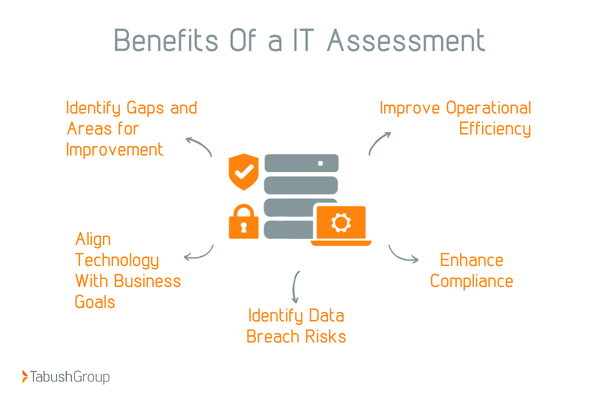
1. Identify Gaps and Areas for Improvement
Even the greatest IT environment contains some blind spots. An IT assessment exposes outdated hardware, underused software, redundant tools, and inefficient processes that drain productivity and budget.
Just as important, it clarifies what is working well within your IT environment. This balanced view allows leaders to prioritize improvements with confidence, ensuring resources are allocated where they matter most.
2. Align Technology With Business Goals
Technology should support revenue growth, customer experience, and operational efficiency. An IT assessment ensures systems and applications align with your organization’s short- and long-term objectives.
When IT strategy mirrors business strategy, teams move faster, and decision-making improves. Investments become intentional, not reactive, reducing wasted spend while improving performance.
3. Identify Data Breach Risks
Cyber threats continue to grow in sophistication, and many organizations underestimate their exposure. According to the IBM Cost of a Data Breach Report, the average cost of a data breach in the U.S. exceeds $9 million.
An IT assessment identifies vulnerabilities across networks, endpoints, cloud platforms, and user access controls. This proactive review strengthens your security posture and reduces the likelihood of costly incidents. It also improves readiness, limiting the impact if a breach does occur.
4. Enhance Compliance
Regulatory requirements are becoming more complex and more enforced. Organizations must ensure their technology environment aligns with the compliance standards that govern how data is stored, accessed, and protected, including:
Compliance gaps can lead to fines, audits, and even reputational damage. An IT assessment evaluates policies, controls, and documentation to ensure systems meet regulatory expectations. It also simplifies audits and reduces long-term compliance risk.
5. Improve Operational Efficiency
Slow systems, manual processes, and recurring IT issues frustrate employees and disrupt operations. 70% of breached organizations reported to IBM that the breach caused significant disruption, and of those that recovered, most took more than 100 days.
An IT assessment analyzes workflows, system performance, and automation opportunities to uncover inefficiencies.
The result is a more streamlined environment where teams spend less time troubleshooting and more time delivering value. Efficiency becomes a competitive advantage rather than an ongoing challenge.
Questions to Ask During An IT Assessment
The effectiveness of an IT assessment depends on the questions being asked. These questions help uncover technical gaps, operational inefficiencies, and strategic misalignment while ensuring technology supports both current operations and future growth.
1. What Are the Current Strengths and Weaknesses of Our IT Infrastructure?
This establishes a clear baseline of your existing environment, highlighting which systems are reliable, secure, and performing as expected. It also uncovers aging infrastructure, performance issues, and architectural limitations that introduce risk or slow operations.
Understanding these strengths and weaknesses allows organizations to protect what works while addressing vulnerabilities before they disrupt the business.
2. Are Our Systems and Applications Aligned With Business Goals and Needs?
Technology investments should directly support business objectives such as growth, efficiency, and customer experience. You need to evaluate whether current systems enable these goals or force teams to rely on manual workarounds and disconnected tools.
Misalignment often signals opportunities to consolidate platforms, improve integration, or modernize outdated applications.
3. What Is Our Current Level of User Satisfaction and Support?
End-user experience plays a critical role in the productivity of your company. This question examines how employees interact with systems, how often issues occur, and how effectively support requests are resolved.
Low satisfaction typically points to usability issues, inadequate training, or support gaps that quietly erode efficiency and morale.
4. How Efficient Are Current IT Processes and Workflows?
Look beyond tools to evaluate how work flows through the organization to identify manual steps, bottlenecks, and duplicated efforts that slow delivery or increase error rates.
Streamlining these processes improves speed, consistency, and overall operational performance.
5. Is Our IT Team Adequately Skilled and Resourced?
Strong technology requires capable oversight from your team. Assess whether your IT team has the skills, bandwidth, and tools necessary to support the environment effectively.
According to our 2026 Law Firm Survey, 74% of respondents said they are most concerned about accidental action by staff or end-user error when it comes to their cybersecurity. That’s why increasing training and education was the top-cited cybersecurity change in the survey report.
Gaps in expertise or staffing often create security risks, increase downtime, and limit the organization’s ability to adopt new technologies.
6. Do Employees Receive Ongoing Cybersecurity Training?
Employees are a critical line of defense against cyber threats to your business. This question evaluates whether staff receive regular, role-appropriate training on security awareness and best practices.
Ongoing education reduces human error, strengthens compliance, and lowers the risk of successful breaches.
7. What Are Common Security Vulnerabilities and Risks?
Identify technical and procedural weaknesses across networks, systems, and access controls, and evaluate exposure to threats such as ransomware, phishing, and unauthorized access.
Understanding these risks enables organizations to prioritize remediation efforts and strengthen their overall security posture.
8. Are Data Management and Backup Practices Sufficient?
Reliable data management is essential for continuity. You should assess how data is stored, protected, backed up, and recovered in the event of system failure or cyber incidents.
Strong backup and recovery practices minimize downtime, protect critical information, and support regulatory requirements.
9. Are We Meeting All Required Compliance Regulations?
Compliance requirements vary by industry, but the consequences of non-compliance are universal. This question examines whether policies, controls, and documentation align with regulatory and contractual obligations.
Addressing compliance gaps early reduces audit risk and protects the organization from penalties and reputational damage.
10. Is the IT Environment Scalable for Future Growth?
As your organization grows, your technology must scale with it. Evaluate whether infrastructure, applications, and licensing models can support increased demand without major rework.
Scalable systems enable growth while controlling costs and avoiding disruptive upgrades.
11. How Can We Improve Business Efficiency?
This question connects IT performance directly to business outcomes and identifies opportunities to automate processes, improve system integration, and eliminate inefficiencies.
Efficiency gains often lead to faster operations, reduced costs, and improved service delivery.
12. How Can We Enhance Security?
Security is not static; it must constantly evolve to negate risks. Focus on strengthening defenses through improved controls, monitoring, and incident response capabilities.
A proactive approach to security reduces risk while improving resilience against evolving threats.
13. How Can We Support Our Business Growth and Future Needs?
Last but not least, ensure the IT assessment looks beyond immediate fixes. It evaluates how technology can support long-term strategy, innovation, and competitive advantage.
Aligning IT with future needs ensures investments remain valuable as the organization evolves.
How To Conduct An IT Assessment
A structured IT assessment process ensures consistency, accuracy, and meaningful outcomes. Rather than focusing only on technology, this checklist connects technical findings to business impact, helping organizations turn insight into action.
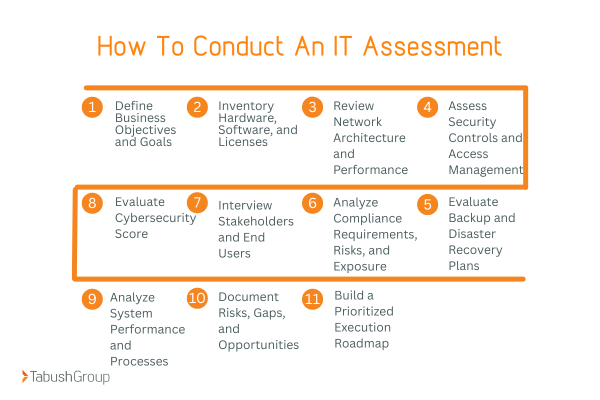
1. Define Business Objectives and Goals
Start by clearly identifying what the organization needs to achieve. Whether the goal is improving security, supporting growth, reducing costs, or meeting compliance requirements, defining objectives sets direction for the entire assessment.
Clear goals ensure findings are relevant, prioritized, and aligned with leadership expectations.
2. Inventory Hardware, Software, and Licenses
Create a complete inventory of all devices, applications, and licenses across the organization. This step identifies outdated hardware, unused software, and licensing gaps that increase costs or risk.
An accurate inventory also supports compliance and improves visibility into the IT environment.
3. Review Network Architecture and Performance
Evaluate how the network is designed and how it performs under normal and peak usage. This includes reviewing bandwidth, connectivity, segmentation, and reliability.
Network weaknesses often cause slow systems, outages, and security exposure, making this a critical step.
4. Assess Security Controls and Access Management
Examine how users access systems and data, including authentication methods, permissions, endpoint security, and monitoring tools.
Strong access controls reduce the risk of unauthorized access and limit the impact of security incidents.
5. Evaluate Backup and Disaster Recovery Plans
Assess how data is backed up, where it is stored, and how quickly systems can be restored after an incident. This step determines whether the organization can maintain operations during outages, cyberattacks, or disasters.
Effective backup and recovery planning protects business continuity and minimizes downtime.
6. Analyze Compliance Requirements, Risks, and Exposure
Review regulatory, contractual, and ethical obligations that apply to the organization. Identify gaps in policies, controls, and documentation that could lead to non-compliance.
Understanding compliance risk early helps prevent audits, penalties, and reputational damage.
7. Interview Stakeholders and End Users
User experience plays a central role in how technology performance is assessed. Interviews with leadership, IT staff, and end users reveal usability issues, workflow challenges, and support gaps that metrics alone can’t show.
This input provides critical context and improves the accuracy of assessment findings.
8. Evaluate Cybersecurity Score
Measure the organization’s cybersecurity maturity using a standardized framework or scoring model. This step assesses readiness across prevention, detection, and response capabilities.
A clear security score helps prioritize improvements and track progress over time.
9. Analyze System Performance and Processes
Review how systems support daily operations and identify bottlenecks, manual processes, and inefficiencies that impact productivity or increase error rates.
Improving system performance often delivers immediate operational and financial benefits.
10. Document Risks, Gaps, and Opportunities
Compile findings into a clear, structured report that outlines risks, deficiencies, and improvement opportunities. Each issue should include context, potential impact, and recommended actions.
Well-documented findings ensure clarity and alignment across stakeholders.
11. Build a Prioritized Execution Roadmap
Transform assessment insights into a phased, actionable roadmap by prioritizing initiatives based on risk, business impact, and effort required.
This roadmap turns the IT assessment from a static report into a strategic plan that drives continuous improvement.
Don’t have the time to do it all? Consider hiring a third-party to conduct your assessment instead of trying to handle it all in-house.
What Should Your Firm Do With IT Assessment Results
An IT assessment only delivers value when organizations act on the findings. Turning insights into progress requires structure, prioritization, and accountability.
Without a clear execution plan, even the most detailed assessment becomes another unused report.
The goal is simple: transform analysis into action that drives measurable improvement across security, efficiency, and performance.
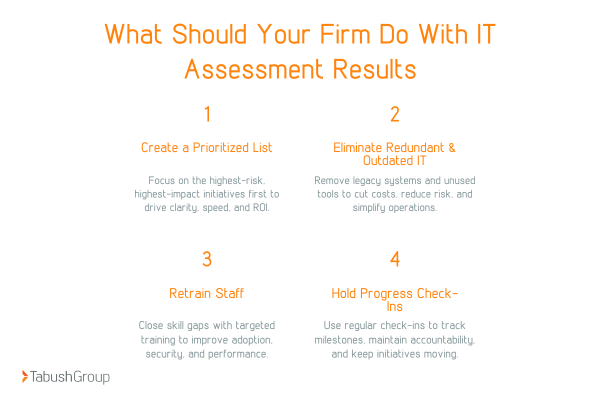
1. Create a Prioritized List
Not every issue carries the same level of risk or impact. Ranking initiatives by urgency, business value, and operational dependency ensures resources focus on the most critical improvements first.
This structured prioritization creates clarity for leadership and IT teams, eliminates confusion, and prevents teams from chasing low-impact fixes. As a result, organizations move faster, reduce friction, and maximize return on investment.
2. Get Rid of Redundant and Outdated IT
Legacy systems often increase costs while introducing performance issues and security vulnerabilities. An IT assessment clearly identifies outdated platforms, unused software, and redundant tools that no longer serve the business.
Removing this unnecessary technology simplifies system management, reduces maintenance overhead, and strengthens security. At the same time, it creates space for modern solutions that better support scalability and growth.
3. Retrain Staff
Assessment findings frequently uncover skill gaps, training deficiencies, or adoption challenges across teams.
Targeted training improves system usage, reduces human error, and strengthens cybersecurity awareness. It also increases employee confidence, accelerates adoption of new tools, and ensures technology investments deliver real operational value.
4. Host Progress Check-In Meetings
Execution requires accountability and consistency. Regular progress check-in meetings create structure, track milestones, and surface obstacles before they become setbacks.
These sessions maintain alignment between IT and business leadership, reinforce ownership, and keep initiatives moving forward. Over time, they transform IT improvements from isolated projects into an ongoing culture of optimization and continuous improvement.
Common IT Assessment Mistakes
Even well-planned IT assessments can fall short if execution and scope aren’t handled carefully. Understanding common pitfalls helps organizations avoid wasted effort and ensures assessments lead to real, measurable improvements rather than stalled initiatives.
1. Not Considering All Stakeholders
IT impacts every department, from operations and finance to sales and customer service. Excluding key stakeholders results in incomplete insights and solutions that don’t fully address how technology is used across the organization.
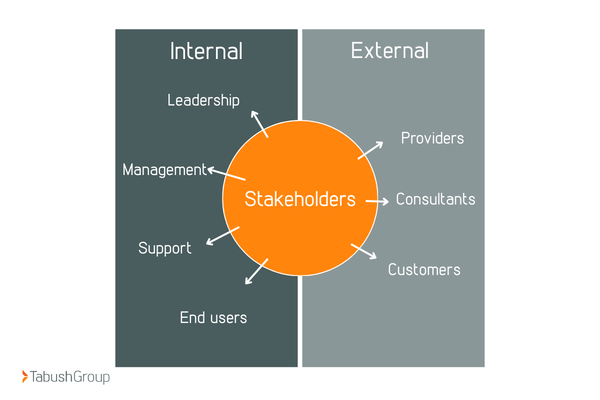
Involving stakeholders early improves accuracy, uncovers hidden challenges, and increases buy-in during implementation. When teams feel heard, adoption and long-term success follow.
2. Lack of Actionable Insights or Accountability
An assessment report without clear next steps rarely drives change. Every recommendation should include defined actions, an assigned owner, and a realistic timeline for execution.
Without accountability, issues linger, risks remain unresolved, and the same problems resurface during the next assessment. Actionable insights turn analysis into progress.
3. Not Doing Assessments Often Enough
Technology environments evolve continuously as new tools, threats, and business needs emerge. Treating IT assessments as one-time events leaves organizations reacting to problems instead of preventing them.
Conducting assessments annually or biannually keeps systems aligned, secure, and scalable. Anything less increases the likelihood of unexpected disruptions and costly surprises.
4. Allowing Bias to Influence Findings
Internal teams can unintentionally downplay issues or defend existing systems due to familiarity, ownership, or past decisions. This bias limits transparency and prevents organizations from identifying real risks or inefficiencies.
An effective IT assessment requires objective evaluation grounded in data, not assumptions. Using third-party expertise or standardized frameworks helps eliminate bias and ensures findings reflect reality rather than preference.
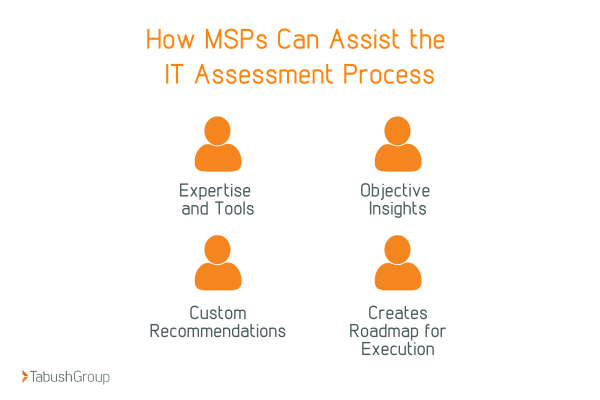
How Managed Service Providers (MSPs) Assist the IT Assessment Process
While internal teams understand day-to-day operations, they often lack the time, tools, or perspective to conduct a deep, objective assessment. Managed Service Providers (MSPs) fill that gap by delivering expertise, structure, and actionable insights.
1. Expertise and Tools
MSPs bring specialized knowledge across infrastructure, cybersecurity, and compliance. They use advanced assessment tools to gather accurate data quickly and consistently.
This approach reduces blind spots and accelerates results, giving leadership a clearer picture of their IT environment.
2. Objective Insights
Internal teams can unintentionally overlook issues due to familiarity or competing priorities. MSPs provide an unbiased, third-party perspective that leads to more honest findings.
That objectivity results in smarter recommendations and better decision-making.
3. Custom Recommendations
No two organizations operate the same way. A strong MSP tailors recommendations to your business goals, risk tolerance, and budget constraints.
Every recommendation ties directly to business impact, ensuring relevance and clarity.
4. Create a Roadmap for Execution
The most valuable IT assessments don’t stop at findings. MSPs deliver a clear, prioritized roadmap that outlines what to fix, when to fix it, and why it matters.
This roadmap transforms insight into action and accountability, and keeps initiatives moving forward.
Key Considerations When Choosing The Right IT Assessment
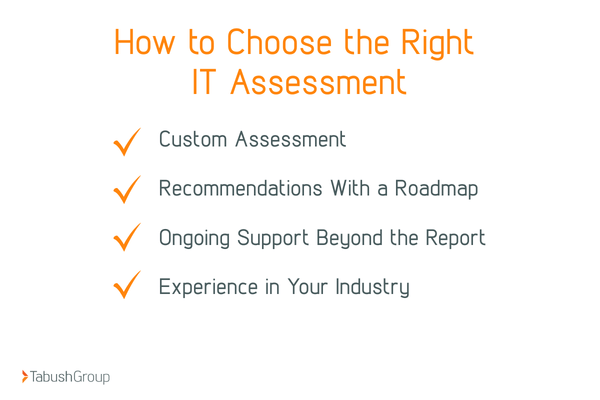
Not all IT assessments deliver the same level of insight or impact. Selecting the right partner directly affects the accuracy of findings, the usefulness of recommendations, and the success of execution.
A strong assessment should evaluate beyond technology and support business outcomes.
1. Custom Assessment
Avoid one-size-fits-all checklists that overlook your organization’s unique challenges. A tailored IT assessment considers your industry, regulatory requirements, risk profile, and operational goals.
Customization ensures findings are relevant, actionable, and aligned with real business needs. When assessments reflect how your organization actually operates, results become meaningful and measurable.
2. Recommendations With a Roadmap
Identifying issues is only the first step. A high-quality IT assessment includes a clear, prioritized roadmap that outlines what to address, when to address it, and why it matters.
This roadmap transforms insight into execution, helping teams focus on high-impact initiatives while maintaining momentum and accountability.
3. Ongoing Support Beyond the Report
The real work begins after the assessment is delivered. Choosing a partner that offers ongoing support ensures recommendations don’t stall once the report is complete.
Continued guidance, follow-up meetings, and progress monitoring help organizations turn strategy into sustained improvement.
4. Experience in Your Industry
Industry experience matters. A partner familiar with your sector understands common challenges, compliance requirements, and best practices.
This expertise shortens learning curves, improves accuracy, and builds confidence in the assessment process. Proven experience leads to clearer insights and stronger outcomes.
Take Control of Your IT, Get a 360 IT Assessment
Your technology should enable growth, protect data, and improve efficiency, not introduce uncertainty. A comprehensive IT assessment provides the visibility and control needed to make confident decisions.
Now is the time to move from reactive fixes to proactive optimization. Are your systems secure, aligned, and ready to scale?
Partnering with the right provider ensures your IT assessment drives real change, not just insight. Schedule your 360 IT Assessment today with Tabush Group and turn your technology into a true strategic asset.