MFA best practices for a law firm are straightforward: require multi-factor authentication on every account and device; use an authenticator app or a hardware security key rather than SMS codes; keep those apps patched; and review access logs for unusual sign-ins. Combine that with long, unique passwords, and a password on its own is no longer enough to reach an account.
Law firms hold large volumes of sensitive client data, which makes credential security a first-order problem rather than an IT housekeeping task. A data breach can have devastating consequences, including operational disruptions, reputational damage, and compromised client security.
To mitigate these risks, law firms must adopt stringent security measures—starting with strong passwords and multi-factor authentication (MFA).
Tips for Reinforcing Strong Passwords
Passwords are fundamental to protecting sensitive data and securing legal operations. Implementing strong password policies can help prevent unauthorized access and mitigate cybersecurity risks.
Below are key strategies law firms should follow to strengthen password security.
Creating a Strong Password
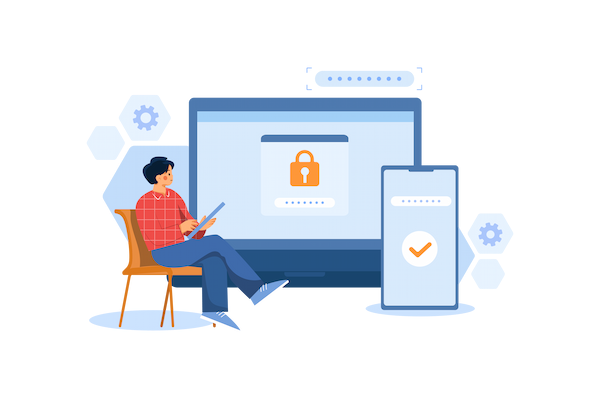
Passwords are the key to your network, and a weak password leaves your firm at risk. According to GoodFirms' 2021 survey of 210 IT experts, employees, and cybersecurity personnel, 3 in 10 users have fallen victim to data breaches due to their weak passwords.
Current NIST guidance (SP 800-63B-4, finalized 2025) sets the bar differently from the old advice. A password used as the only authentication factor must be at least 15 characters. Where MFA is in place, 8 characters is the floor. NIST no longer asks for a forced mix of uppercase, lowercase, numbers, and symbols, on the evidence that composition rules push people toward predictable substitutions. Length and uniqueness do more work than complexity rules.
Ensure attorneys and staff steer clear of incorporating personal information such as names, birthdays, or any other information that could be easily guessed in their passwords.
Unique Passwords
A 2025 NordPass survey found that 62% of Americans often or always reuse passwords across accounts.
Using the same password across multiple accounts increases cybersecurity risk. If a cybercriminal gains access to one set of credentials, they essentially have the keys to all of your accounts.
When formulating your strong password policy, require your attorneys and staff to use unique passwords for every account. To reduce the need for multiple passwords, implement a cloud management solution that allows you to use a single sign-on (SSO) to access all of your work.
Password Updates
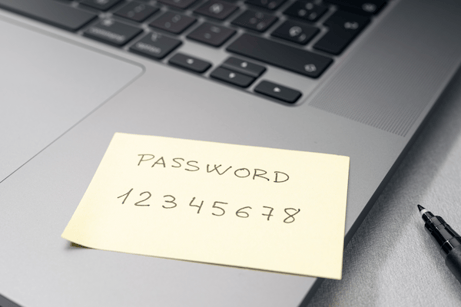
To ensure the safety of your firm, it's important to implement password policies for updating passwords. For example, in the event of a security breach, such as a lost or stolen device, it is crucial to promptly change all passwords to minimize further risk.
Additionally, after an employee leaves the company, any shared passwords should be changed.
While previously it was recommended to update passwords regularly, password expiration policies are an outdated practice. In fact, the National Cyber Security Centre (NCSC) states that frequent password changes can actually lead to people making weaker passwords. This is due to the fact that when you force employees to change their passwords often, they can run out of random and secure passwords. NIST takes the same position: passwords should be changed on evidence of compromise, not on a calendar.
Education & Training
Cybersecurity should always be a top priority for your law firm. Regular cybersecurity training not only provides valuable information but also promotes a culture of security.
Most firms perform training when a new person is hired, which is very important; however, it is also vital to ensure everyone participates in education and training on a regular basis to keep security at the forefront of their minds.
Your internal IT team or managed service provider should offer cybersecurity awareness training to all attorneys and staff. Ensure the cybersecurity training covers everything discussed above, as well as other best practices, such as how to look out for phishing emails and what to do if you click a malicious link.
Multi-Factor Authentication (MFA) for a Second Line of Defense
Cybercriminals are constantly developing new, more sophisticated ways to infiltrate systems, steal data, and wreak havoc on businesses. In light of these advancements, relying on passwords alone is no longer sufficient.
What Is MFA?
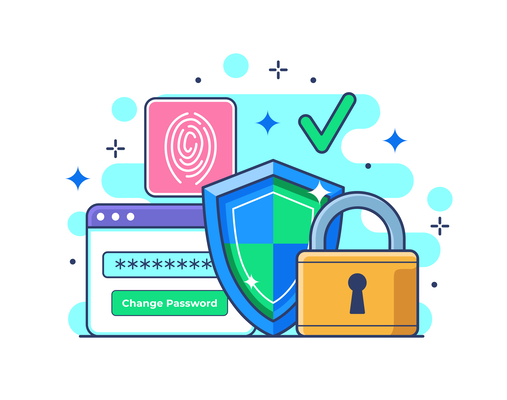
A password is only something you know, and it can be stolen, guessed, or leaked through a data breach. MFA goes beyond just passwords, requiring users to verify their identity through multiple methods before gaining access.
MFA adds an extra layer of protection by requiring additional authentication factors. These factors generally fall into three categories:
- Something you know: A password or PIN.
- Something you have: A mobile phone, hardware token, or authenticator app.
- Something you are: Biometrics, such as fingerprints, facial recognition, or retina scans.
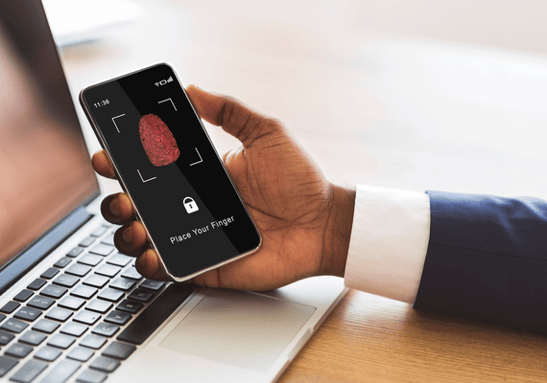
By requiring users to authenticate through multiple methods, MFA significantly reduces the chances of unauthorized access—even if your password is compromised.
The Need for MFA
While a strong password may offer a basic level of protection, it can be easily compromised, especially with the rise of phishing scams and brute-force attacks. This is where Multi-Factor Authentication comes into play, providing an essential second line of defense for your firm's cybersecurity strategy.
- Prevent Unauthorized Access – Reduces the risk of compromised credentials leading to security breaches.
- Mitigate Phishing Attacks – Even if cybercriminals obtain passwords, they cannot access accounts without the second authentication factor.
- Protect Sensitive Data – Puts a second barrier in front of confidential business and customer information.
- Support Compliance Controls - Adds access control that helps meet the security requirements of regulations like GDPR, HIPAA, PCI-DSS, and CCPA.
- Reduce Penalty Exposure - Reduces the risk of penalties tied to weak access controls.
Conduct an IT assessment to check your cybersecurity and identify any weak points in your MFA processes.
What Are MFA Best Practices?
Here are the MFA best practices worth implementing:
-
Require MFA everywhere. Every account, every device, every application, with no exemptions for senior staff.
-
Choose a phishing-resistant method where you can. CISA's position is that FIDO/WebAuthn authentication is the only widely available phishing-resistant option, ahead of app-based and SMS methods.
-
Use an authenticator app rather than SMS. Text and email codes are better than no MFA, but they can be intercepted through SIM swapping or a convincing phishing prompt.
-
Keep the authentication apps patched. Older versions carry known weaknesses; your IT team or IT partner should manage this centrally.
-
Enforce it at the point credentials are created, so MFA is a requirement rather than a setting someone can skip.
-
Monitor access logs for unusual sign-in attempts, particularly for hybrid and remote users, where exposure is higher.
Use of Authenticator Apps
While text messages and email codes are generally effective, a phishing attack posing as an MFA notification can compromise your firm.
Authenticator apps such as Google Authenticator, Duo, or Microsoft Authenticator are secure and convenient applications that streamline your MFA process. Authenticator apps provide flexibility and are available across multiple platforms.
Regular Updates
Make sure your MFA applications are always updated with the latest software. Older versions of applications can present security risks and compromise the integrity of your cybersecurity.
This also applies to any other applications used for authentication or access control. Regular updates reduce the risk of exploitation and help safeguard sensitive business data.
Your IT team or IT partner should keep these applications, and any others, up to date for your firm.
Enforcement of MFA Policies
Properly enforcing MFA requirements is key for a successful policy. Your IT team should enforce restrictions that require MFA when creating credentials. Ensure that MFA is required and implemented for online accounts, work devices, and applications.
MFA is especially important for hybrid or remote work, where cybersecurity risks tend to be much greater.
Additionally, your IT team should also regularly monitor access logs to identify any unusual login attempts or potential breaches.
Enable MFA Best Practices
By reinforcing strong password policies and implementing MFA, law firms can significantly strengthen their cybersecurity posture. Continuous vigilance and proactive security measures help protect sensitive client data and maintain operational integrity.
To learn more about the most effective practices for a hybrid work environment, view our comprehensive guide on technology solutions for hybrid law firms.
The right IT partner will help guide you in implementing comprehensive cybersecurity and MFA best practices.
Frequently Asked Questions
How do law firms enforce MFA for all attorney users?
Enforcement is a policy setting rather than a request. The firm's IT team applies a conditional access or equivalent policy that requires a second factor at sign-in for every user account, including partners and administrators, and blocks any legacy authentication route that would let an application bypass it. Access logs are then reviewed for accounts that are still authenticating without a second factor.
What do strong passwords and MFA actually prevent?
Together they close off credential-based attacks: password reuse across sites, credential stuffing with passwords leaked from another breach, brute-force guessing, and phishing pages that capture a password. A stolen password on its own stops being enough to reach an account.
Do law firms need multi-factor authentication?
In practice, yes. Whether a specific rule obliges your firm is a question for the firm and its counsel. What we see in the field is that cyber insurance applications and client security questionnaires ask whether MFA is in place, so firms are asked to evidence it even where no rule names it. The control itself does a simple job: a stolen password on its own is no longer enough to reach an account.
What is credential stuffing, and does MFA stop it?
Credential stuffing is an automated attack that takes username and password pairs leaked in one breach and tries them against other services, on the assumption that people reuse passwords. It works at scale because it involves no guessing.
Multi-factor authentication stops the automated version of it. The attacker has a working password, and still cannot complete a sign-in without the second factor. Unique passwords remove the supply of pairs to try in the first place, which is why the two controls are usually recommended together.
.png)