


What is a Virtual Desktop?
A virtual desktop is a full desktop environment hosted in the cloud rather than on a physical computer. Users access their desktop securely through the internet from any approved device.
Here’s the key differentiator of DaaS: The operating system, files, applications, and security controls live centrally in a single cloud, not locally. That changes everything.
Benefits of a Virtual Desktop
Virtual desktops remove traditional IT limitations while strengthening control and security. They give businesses the power to support modern work without compromising compliance or performance.
Let’s look at the most impactful benefits of virtual desktops.
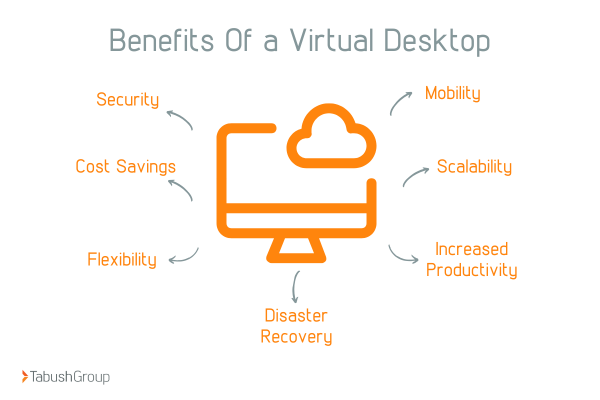
1. Security
The average global cost of a data breach reached $4.88 million in IBM’s 2024 report. When you use virtual desktops, data never lives on the endpoint. That alone reduces the risk of attacks.
With virtual desktops, files remain encrypted in the cloud at all times. Lost laptops, stolen devices, and unsecured home networks no longer threaten sensitive data. This is mission-critical for regulated industries like legal or finance.
2. Mobility
Another perk of virtual desktops is that employees can work from anywhere without sacrificing access or performance.
All they need is an internet connection and secure credentials. From any location, your employees are able to access the same desktop and enjoy the same experience.
3. Cost Savings
Gartner projects that by 2027, virtual desktops will be cost-effective for about 95% of the workforce. Virtual desktops reduce capital expenses dramatically. You no longer need to refresh expensive hardware every few years.
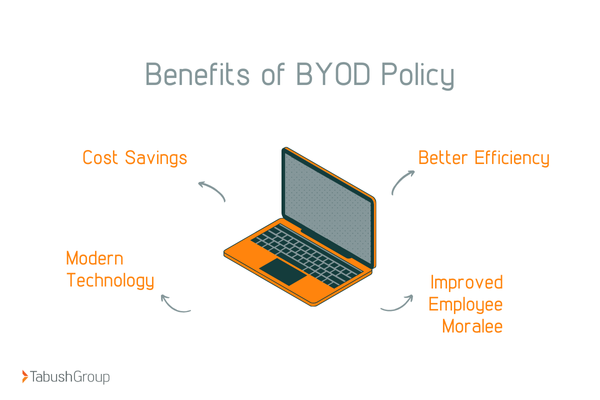
IT teams also spend less time fixing devices. That means lower labor costs and fewer disruptions. Additionally, Bring Your Own Device (BYOD) becomes safer and more manageable with virtual desktops, enabling your business to save on hardware costs.
4. Scalability
Need to onboard users? No problem. Virtual desktops let you scale with ease.
No hardware delays, no complex provisioning, just access when you need it. As your team grows or contracts, your desktop environment adjusts just as quickly.
5. Flexibility
As of March 2025, about 23% of US employees worked remotely at least partially. Virtual desktops adapt to how your teams actually work. Remote, hybrid, contract, or temporary employees all get secure access.
You control permissions centrally, so nothing slips through the cracks.
6. Disaster Recovery
Virtual desktops protect business continuity. If a device fails, work continues instantly from another endpoint.
This means no downtime and no lost productivity. That resilience matters when every second counts.
7. Increased Productivity
With virtual desktops, employees log in and can work immediately. No slow machines and no configuration headaches. This consistency helps to drive efficiency and results.
Teams communicate faster when systems just work. Centralized desktops also improve collaboration with streamlined tools and shared resources.
Better access leads to streamlined outcomes.
Moving Your Entire Desktop to the Cloud
This is where DaaS stands apart. Unlike traditional virtualization, which only hosts applications, DaaS moves the entire desktop to the cloud.
Operating system, apps, and files all live securely together in the cloud.
When only select applications are moved to the cloud, businesses end up with fragmented systems spread across multiple environments. This makes workflows more complex, restricts integrations, and undermines the desktop’s traditional role as a single, unified workspace.
That unified experience eliminates complexity while strengthening control and consistency.
What is Desktop as a Service (DaaS)?
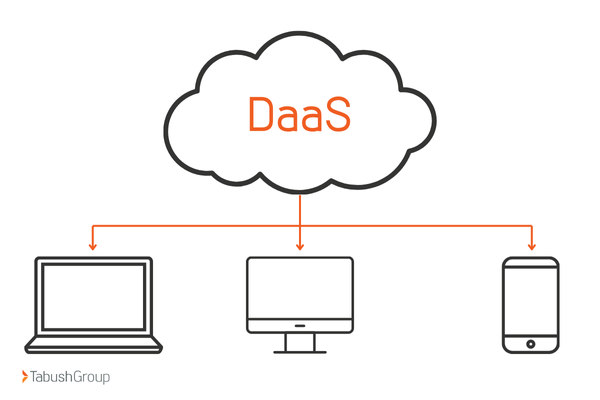
Desktop as a Service is a cloud-based solution that delivers fully managed virtual desktops to users on demand.
A trusted provider handles infrastructure, security, updates, and availability. Your team simply logs in, and your business stays protected.
How Does Desktop as a Service Work?
DaaS runs desktops on secure cloud servers hosted in highly available data centers.
- Users connect through encrypted sessions using approved devices
- Admins control access centrally
- Providers handle maintenance behind the scenes
That separation is powerful.
DaaS allows employees to securely access the same desktop, applications, and files from any device and location, making it ideal for hybrid and remote work. Because desktops live in the cloud, users can log in anywhere and pick up right where they left off, with consistent performance and built-in security beyond the office.
How Is DaaS Different from SaaS, PaaS, and IaaS?
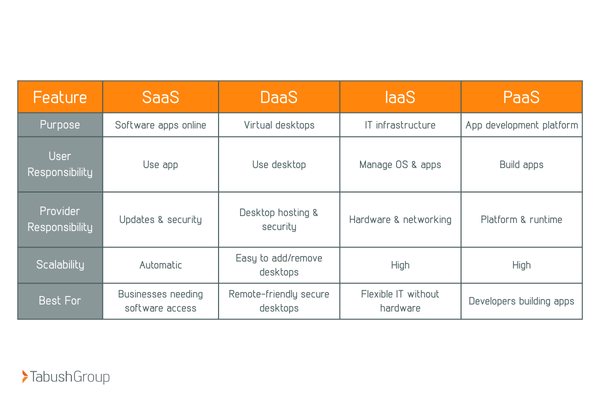
Understanding cloud services can be confusing. Businesses often hear terms like SaaS, PaaS, IaaS, and DaaS, but what do they really mean for your IT strategy?
In this section, we’ll break down the differences, explain where DaaS fits in, and show why it’s the ideal solution for modern, remote-ready businesses.
SaaS (Software as a Service)
Delivers individual software applications over the internet with no installation required. Providers handle updates, security, and maintenance, making SaaS ideal for businesses that need easy access to specific tools like Google Drive, Microsoft 365, or Slack.
DaaS (Desktop as a Service)
Provides full virtual desktops hosted in a private cloud. Users can securely access their entire desktop environment, including applications and files, from any device. DaaS is well-suited for organizations that need secure, scalable, and remote-ready work environments, such as law firms, healthcare providers, and financial services.
IaaS (Infrastructure as a Service)
Offers on-demand access to core IT infrastructure like servers, storage, and networking. Businesses can scale resources as needed and pay only for what they use, making IaaS a cost-effective option for companies that want flexibility without managing physical hardware. Common providers include AWS, Microsoft Azure, and Google Cloud.
PaaS (Platform as a Service)
Supports application development by providing a cloud-based platform with built-in tools, frameworks, and scalability. PaaS allows developers to focus on building and deploying applications without worrying about infrastructure management, making it ideal for teams developing custom software.
Why DaaS Is Growing Exponentially
Ever since the pandemic, remote work has accelerated. Many businesses learn they can function remotely and save money on office space.
That’s when challenges emerged.
- The workforce changed permanently, and legacy systems are holding them back
- Security threats have intensified, and their tech is not keeping up
- IT budgets face constant pressure, and their tech is costing them too much
DaaS solves all three challenges at once.
Organizations gain enterprise-grade security without enterprise-level complexity. That’s why adoption continues to surge.
The Time for DaaS is Right Now, Future-Proof Your IT
As we discussed, legacy desktops can’t support modern, hybrid work. Remote teams demand speed, security, and simplicity.
DaaS future-proofs IT by eliminating hardware dependency and reducing risk.
Businesses that delay adoption fall behind. This is the moment to act.
6 Reasons to Use Desktop as a Service
Here’s what makes Desktop as a Service indispensable for modern businesses.
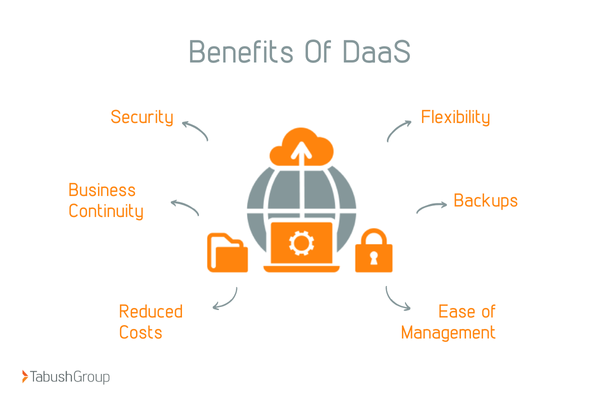
1. Increased Security
With DaaS, desktops live in a centralized, cloud-based environment rather than on individual devices. This dramatically reduces endpoint vulnerabilities and limits exposure from lost, stolen, or compromised hardware.
Advanced monitoring, access controls, and encryption help detect threats early, before they escalate into major incidents. This means security shifts from being reactive to proactive.
Because all desktop-to-server communication occurs within the provider’s secure network, sensitive data never resides locally. A reliable DaaS provider continuously updates security measures, ensuring protection against evolving cyber threats.
2. Flexibility
DaaS supports remote, hybrid, and in-office teams without disrupting workflows. Employees can securely access the same desktop, applications, and files from anywhere, on any approved device, with consistent performance.
This means hoteling, also known as shared workstations, becomes seamless. Users simply log in, work, and log out, leaving no data behind. This not only improves security but also maximizes office space and resource efficiency.
For organizations planning long-term hybrid work strategies, DaaS provides the flexibility employees want while keeping IT firmly in control.
3. Business Continuity
When disruptions occur, work doesn’t have to stop. Cloud-hosted desktops keep teams productive during outages, natural disasters, pandemics, or unexpected office closures.
Because desktops are not tied to a physical location, employees can continue working as long as they have internet access. This resilience ensures operations remain stable and revenue loss is minimized, even during major disruptions.
4. Built-In Backups
Automatic backups are a core advantage of DaaS. Critical data is continuously protected in the cloud, eliminating reliance on local storage or complex backup systems.
If data is lost, corrupted, or accidentally deleted, recovery is fast and reliable. There’s no panic and no guesswork, just peace of mind knowing business-critical information is always protected.
Plus, this eliminates the need for complex local backup systems and reduces the burden on IT teams.
5. Reduced Costs
DaaS reduces or eliminates the need for expensive physical hardware and on-premise infrastructure. Many organizations no longer need to regularly purchase or refresh PCs and servers.
With predictable, subscription-based pricing, costs scale with your business. IT budgets shift away from hardware maintenance and toward strategic initiatives that drive growth.
6. Ease of Management
Centralized administration simplifies IT operations. Provisioning desktops, managing access, deploying updates, and enforcing security policies all happen from a single interface.
With many core functions handled by the cloud provider, IT teams spend less time troubleshooting and more time focusing on strategic priorities. The result is smoother operations, faster response times, and a more agile IT environment.
Industries That Should Use DaaS
Some industries see immediate and measurable benefits from adopting Desktop as a Service. From enhanced security to improved productivity, DaaS solves unique challenges across sectors.
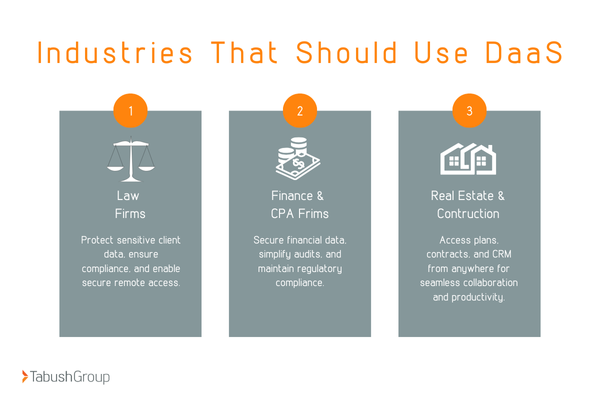
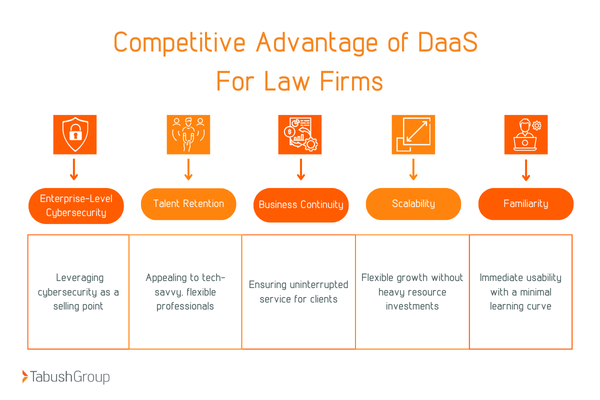
1. Law Firms
Law firms handle highly sensitive client information every day. Client confidentiality demands airtight security, and even minor breaches can have major legal and reputational consequences.
DaaS protects sensitive case files with centralized encryption, controlled access, and secure remote connectivity. Lawyers and staff can access desktops safely from the office, home, or court, ensuring compliance with regulations like HIPAA and state-specific data protection laws.
The result? Simplified compliance, reduced risk, and more time focused on clients instead of IT headaches.
2. Finance and CPA Firms
Financial institutions and accounting firms also manage critical data that must remain secure, auditable, and compliant. DaaS enforces consistent security policies, role-based access, and detailed activity logs, reducing human error and exposure to cyber threats.
With DaaS, audit readiness becomes effortless. Remote teams can securely access desktops and financial software without compromising control or compliance.
This reduces risk, strengthens client trust, and improves operational efficiency.
3. Real Estate and Construction Firms
Real estate and construction professionals often work from multiple locations, including job sites, client offices, and home offices. Mobile teams need reliable access to plans, contracts, CAD files, and CRM systems.
DaaS delivers secure, cloud-hosted desktops that employees can access from any approved device. Teams stay productive on-site or in transit, collaboration becomes seamless, and IT doesn’t have to manage multiple hardware devices or complex software installations.
The result is faster decision-making, improved project coordination, and enhanced client service.
How to Evaluate Solutions
Not all Desktop as a Service platforms are created equal. Choosing the right solution requires a strategic lens that balances security, reliability, scalability, and user experience.
Here’s how to evaluate potential DaaS providers to ensure long-term value for your business.
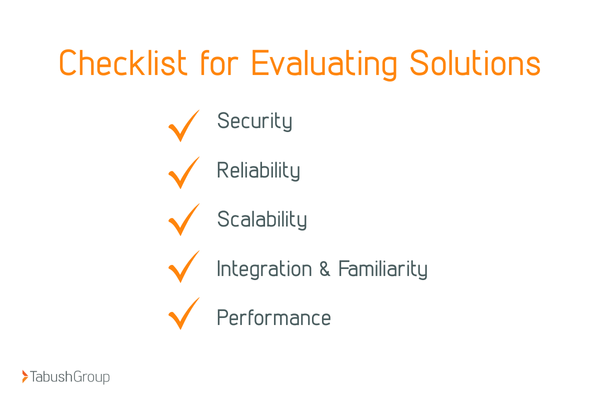
1. Security
Security must be built in. Look for features like encryption, multi-factor authentication (MFA), continuous monitoring, and compliance support.
A strong DaaS solution prioritizes cybersecurity with:
- Continuous monitoring to detect and respond to threats in real time
- Regular updates and patches to maintain protection against evolving vulnerabilities
- Data backup and recovery to ensure business continuity
- SOCaaS (Security Operations Center) for layered protection across desktops, users, and networks
- Employee security training to reduce human error and safeguard sensitive client data
A secure solution is a reliable one, which brings us to our next point.
2. Reliability
Downtime can cripple productivity and damage client trust. Choose solutions with proven redundancy, high uptime guarantees, and a track record of reliability.
Look for platforms with:
- Minimal unplanned outages
- Strong client satisfaction ratings
- 24/7 expert support
- Robust infrastructure capable of handling hybrid work environments
Reliable DaaS ensures employees can work seamlessly from any location without interruption.
3. Scalability
Your platform should grow with your business. Instant provisioning and flexible resource allocation are non-negotiable.
DaaS allows firms to:
- Quickly add or remove users as staffing changes
- Adjust cloud desktop resources to match workload demands
- Scale storage, processing power, and application access without costly hardware purchases
Scalability ensures your IT infrastructure supports growth rather than limiting it.
4. Integration and Familiarity
Adoption succeeds when users feel at home. A DaaS solution should integrate seamlessly with existing workflows, applications, and tools.
Key considerations include:
- Compatibility with all essential legal, finance, or industry-specific software
- Familiar desktop interface to reduce training time and user resistance
- Pre-deployment testing environments to validate software performance and integration
This ensures a smooth transition and consistent productivity across teams.
5. Performance
Laggy desktops and slow applications kill efficiency. Evaluate the speed, responsiveness, and resource capacity of any DaaS platform.
High-performing solutions include:
- Regular infrastructure upgrades to support modern software demands
- Options for higher-resource desktops for power users
- Consistent, low-latency access for remote or hybrid employees
Quality DaaS delivers a seamless user experience that keeps teams productive, no matter where they work.
How to Vet a DaaS Provider
Choosing the right DaaS provider is one of the most important decisions your business will make. Your provider directly impacts security, productivity, and long-term scalability.
Here’s what to evaluate to ensure you select a solution that supports your business goals.
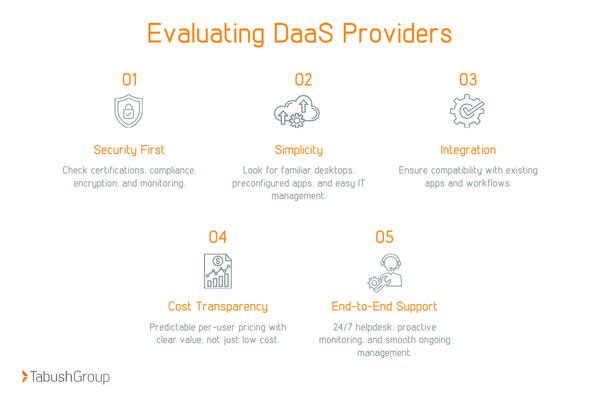
1. Security First
Security should never be an afterthought. Ask potential providers about certifications and other compliance frameworks.
Additionally, inquire about continuous monitoring, intrusion detection, and their incident response plan. Transparency is key; your provider should be able to explain exactly how data is protected, encrypted, and backed up.
For businesses in regulated industries like finance or law, these measures aren’t optional; they’re essential for compliance and risk management.
2. Simplicity
Complex systems slow adoption, frustrate users, and increase IT support requests. The best providers make onboarding effortless.
Look for DaaS solutions that deliver familiar Windows desktops. This reduces training time, accelerates adoption, and ensures your team can work productively from day one.
Simplicity also means centralized management for IT teams. A single interface for provisioning, updates, and access control reduces operational complexity and lets IT focus on strategy rather than troubleshooting.
3. Integration With Existing Platforms
Your DaaS should fit seamlessly into your existing IT ecosystem. Compatibility reduces friction, prevents disruptions, and allows users to continue using familiar tools.
A quality provider will support application audits and offer testing environments before full deployment. This ensures that critical business applications, custom workflows, and collaboration tools work flawlessly in the cloud environment.
4. Cost Transparency
Hidden fees can quickly turn a cost-effective solution into a budget headache. Look for providers that offer predictable, per-user pricing and clearly outline what’s included.
Don’t focus solely on price; evaluate the total value. Consider features like security, backups, scalability, and 24/7 support.
A slightly higher monthly cost may deliver far greater long-term savings and peace of mind.
5. End-to-End Support
DaaS isn’t just about the technology; it’s about service. From initial deployment to ongoing management, your provider should offer proactive, hands-on support.
This includes monitoring performance, applying security patches, troubleshooting issues, and providing 24/7 helpdesk access.
The goal is to minimize downtime, ensure smooth operations, and give your IT team confidence that your virtual desktops are always secure and available.
Switch to a Secure and Reliable DaaS
Desktop as a Service is no longer optional. It’s the foundation of secure, scalable, modern work.
Now is the time to ask whether your current desktop strategy truly supports growth, security, and flexibility. If you’re ready to future-proof your business, reduce risk, and simplify IT, our Desktop as a Service solution, Boxtop, is built to lead you there.
At Tabush Group, our team delivers enterprise-grade DaaS backed by SOCaaS security, expert support, and seamless performance. We help businesses eliminate risk, reduce costs, and empower their team, without complexity.
Talk to our experts today and discover how DaaS can transform the way your business works.